PDIndexer Manual
PDIndexer is a free, MIT-licensed Windows application for analyzing one-dimensional powder diffraction patterns (laboratory / synchrotron X-ray, neutron TOF). It displays measured profiles, overlays calculated diffraction lines from crystal structures, processes and calibrates profiles, fits peaks to refine lattice constants by least squares, and estimates pressure from the equations of state of standard materials.
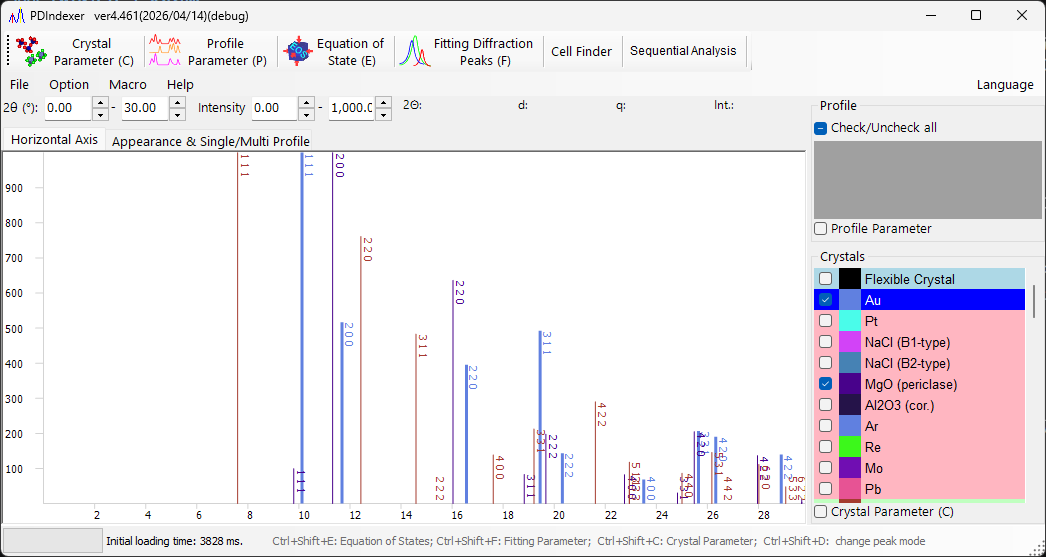
Find by goal
| Goal | Start here | Main next steps |
|---|---|---|
| Load and display a measured profile | 2. Pattern profiles | 1. Main window, File formats |
| Identify phases by overlaying known crystals | 3. Crystal parameter | 2. Pattern profiles |
| Process / calibrate a profile | 4. Profile parameter | 3. Crystal parameter |
| Fit peaks and refine lattice constants | 6. Fitting diffraction peaks | 3. Crystal parameter |
| Estimate pressure from a standard material | 5. Equation of states | 6. Fitting diffraction peaks |
| Batch-process a series of profiles | 7. Sequential analysis | 8. Macro |
| Automate tasks with scripts | 8. Macro | 7. Sequential analysis |
Contents
- 0. Overview — what PDIndexer does and its main features
- 1. Main window — layout, menus, toolbar, profile/crystal lists
- 2. Pattern profiles — profile data, supported formats, loading
- 3. Crystal parameter — diffraction-line display, crystal information, database
- 4. Profile parameter — profile processing, axis settings, operators
- 5. Equation of states — pressure from standard-material EOS
- 6. Fitting diffraction peaks — peak fitting and lattice refinement
- 7. Sequential analysis — batch analysis over a profile series
- 8. Macro — IronPython scripting and function reference
Appendix
Quick start
- Download and install from Releases, then launch PDIndexer.
- Open a measured profile (drag & drop a file, or paste a profile copied from IPAnalyzer).
- Add known crystals from the built-in database (or import a CIF/AMC file) to overlay their diffraction lines.
- Fit the peaks to refine lattice constants, or estimate pressure from a standard material's equation of state.
System requirements
| Item | Requirement |
|---|---|
| OS | Windows with .NET Desktop Runtime 10.0 (not the .NET Runtime) |
| Recommended | 64-bit Windows 10/11, 16 GB or more memory, 8-core or higher CPU |
See Runtime and installation for details.
Note
Source code, releases, and the issue tracker are on GitHub. PDIndexer is distributed under the MIT License.