PressureCalculator
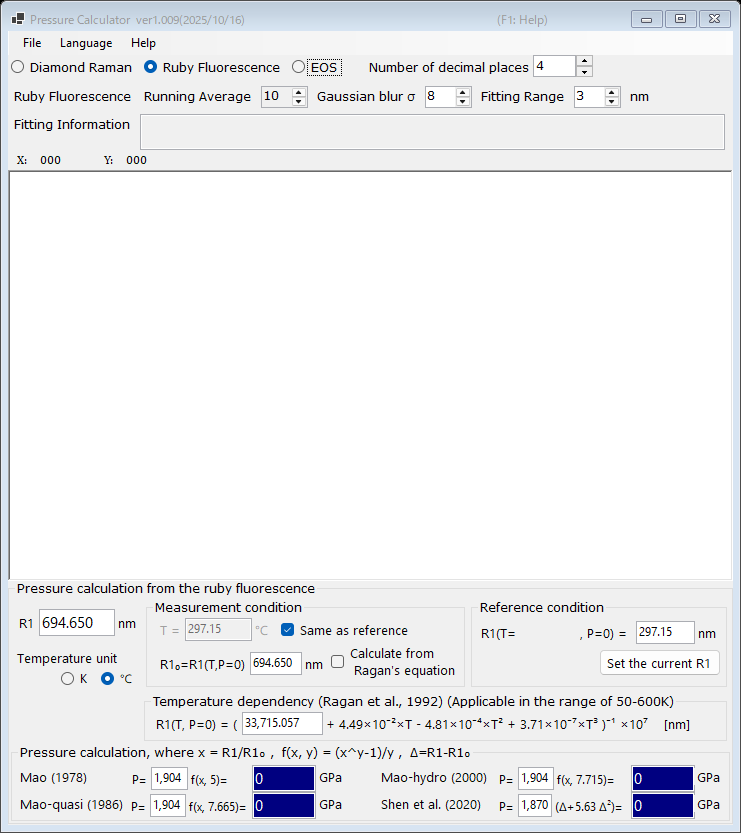
PressureCalculator is a free Windows application for determining pressure in high-pressure experiments (such as diamond-anvil-cell experiments). It supports three complementary methods:
- Ruby fluorescence : pressure from the shift of the ruby R1 fluorescence line, with several published ruby scales and a temperature correction.
- Diamond Raman edge : pressure from the high-frequency edge of the diamond anvil Raman band.
- Equation of states (EOS) : pressure from the measured lattice constant (or unit-cell volume) of standard materials such as gold, platinum, NaCl, periclase, and others.
Measured spectra can be loaded from text files, smoothed, and fitted directly in the application; see Spectra and fitting.
Installation
Download the latest release from the GitHub Releases page.
| File | Description |
|---|---|
PressureCalculator-setup.msi |
Recommended. Installer for ordinary (x64) Windows PCs. |
PressureCalculator-setup_arm64.msi |
Installer for Windows on Arm (Snapdragon PCs, or Apple Silicon Macs running Windows via virtualization, etc.). |
PressureCalculator-v.X.zip |
Portable (x64): no installation, self-contained. Suitable for PCs where you have no administrator rights. |
PressureCalculator-v.X_arm64.zip |
Portable for Windows on Arm. |
The MSI installer requires the .NET Desktop Runtime 10; if it is not installed, Windows shows a dialog with a download link on first launch. The portable ZIP packages bundle the runtime, so no separate installation is needed: just extract the ZIP to a user-writable folder and run PressureCalculator.exe.
PressureCalculator installs per-user (no administrator rights required) and stores its settings under HKEY_CURRENT_USER\Software\Crystallography\PressureCalculator.
Display language
The user interface is available in 11 languages. Choose Language in the menu bar and select a language; PressureCalculator restarts with the new language. This online manual follows the same language selection when opened from the application.
Online help
Press F1 (or choose Help → Online manual) in the application to open the manual page corresponding to the current mode.