Stereonet
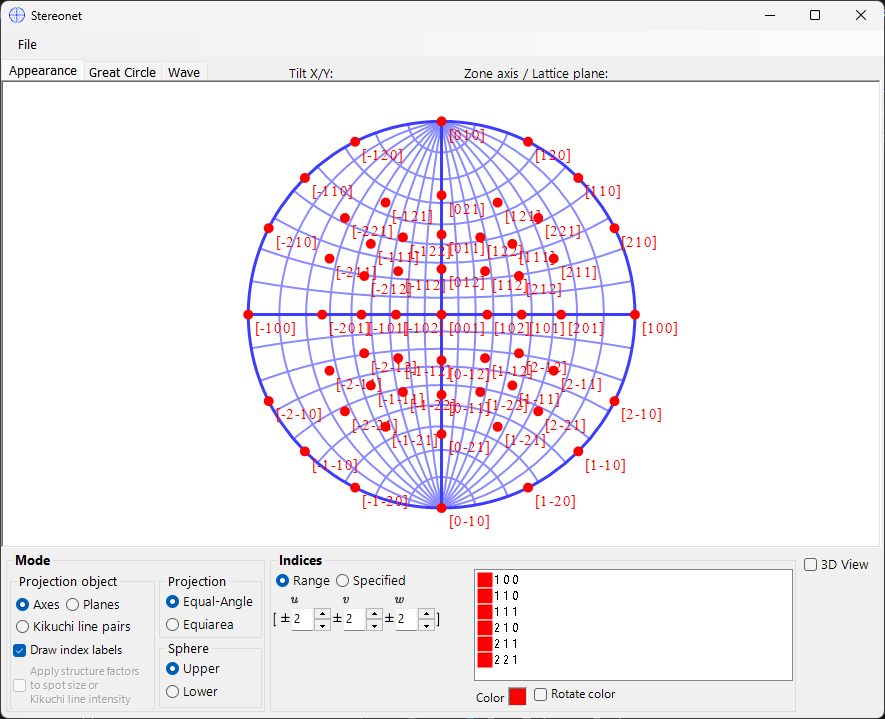
Stereonet displays crystal plane and axis directions using stereographic projection.
Mouse operations
- Left-drag to rotate the crystal
- Right-drag/click to zoom in/out
- Double-click to switch between planes/axes modes.
- Middle-drag to translate.
The plane/axis indices at the current cursor position are displayed as you move the mouse over the projection.
File menu
Save or copy in raster or vector format. Vector format allows editing font/line thickness in PowerPoint.
Mode
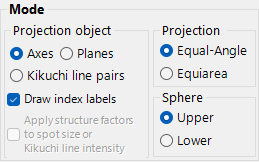
- Projection target — Axis, Plane, or Kikuchi line pairs
- Projection method — Wulff (equal-angle) or Schmidt (equal-area)
- Hemisphere — upper or lower
- Show index labels; optionally weight the plot by structure factor
For trigonal/hexagonal crystals, Miller–Bravais (4-index) notation can be enabled from Option ▸ Use Miller-Bravais (hkil) index in the main window.
Indices
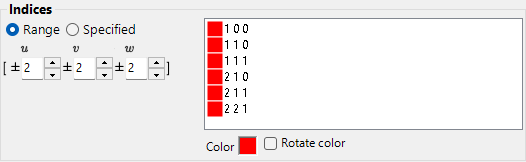
- Range: specify [uvw] or {hkl} range
- Specified: add individual indices, with optional crystallographic equivalents
- Colour — set the plot colour, or tick change colour automatically to colour-code each set of equivalent axes/planes differently
3D Options
Tab menu
Appearance
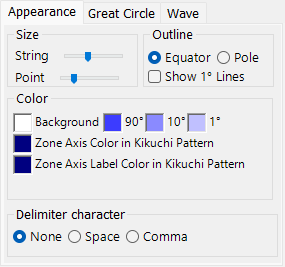
String size, point size, colour, outline.
Great Circle
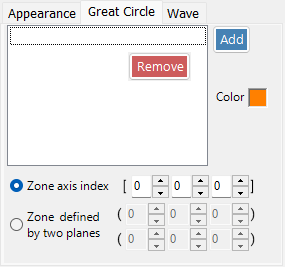
Specify by zone axis or crystal plane indices.
Wave
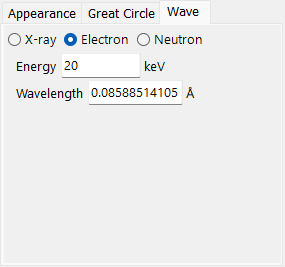
Set the wave source (X-ray / electron / neutron) and the wavelength or energy used for the projection.