Spot ID v2
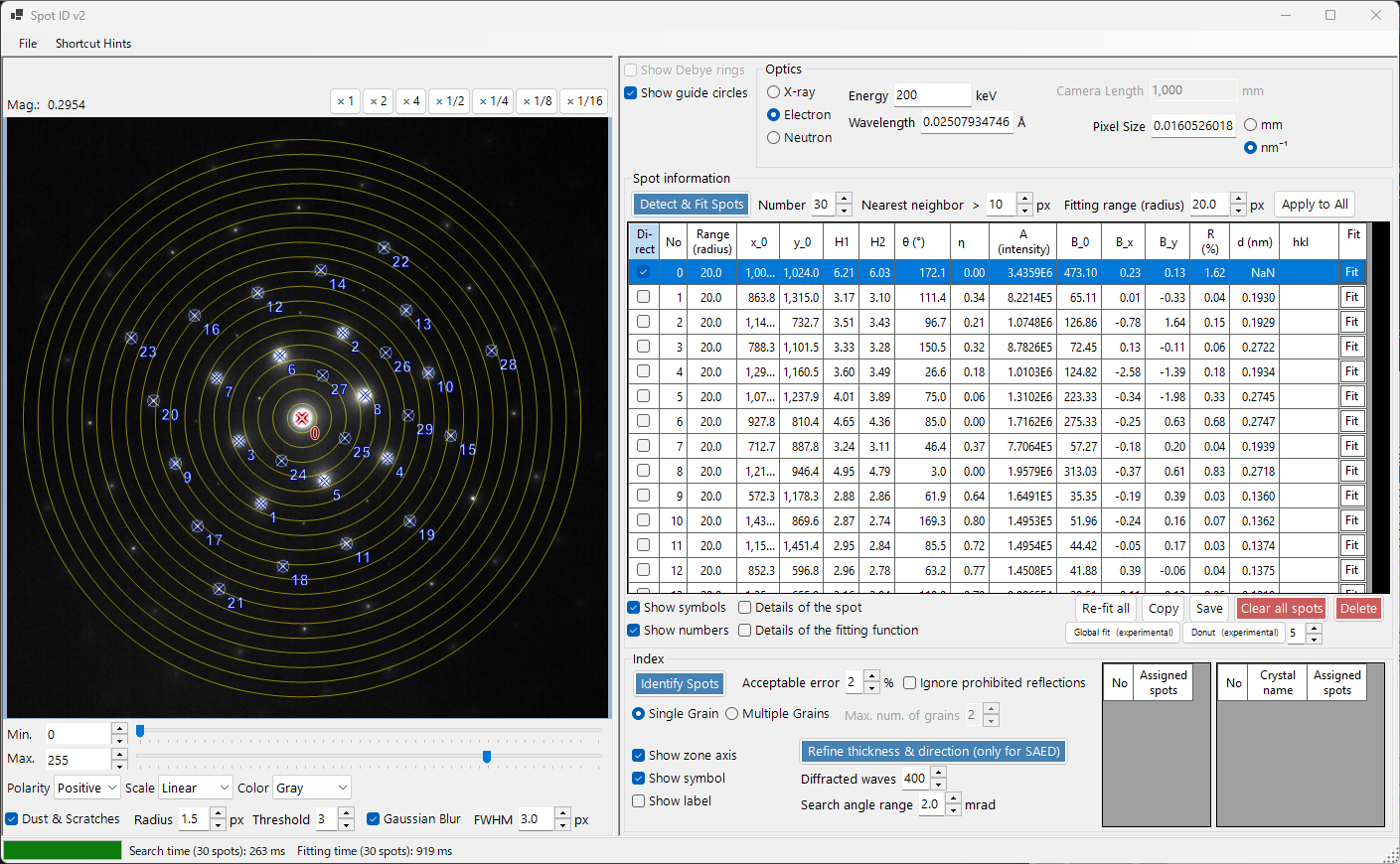
Spot ID v2 is the enhanced version of Spot ID with improved spot detection, fitting algorithms, and a more powerful indexing engine.
Keyboard & mouse shortcuts
You build the spot list directly on the loaded image. The image pane uses ReciPro's standard image-view navigation for pan/zoom; spot editing adds the combinations below.
| Shortcut | Action |
|---|---|
| F1 | Open this page of the online manual |
| Left double-click the image | Add a spot at that point (peak-fitted) |
| CTRL + Left double-click | Add a spot and mark it as the direct (000) beam |
| Left-click a spot | Select the nearest spot |
| CTRL + Right-click a spot | Delete the nearest spot |
| CTRL + arrow keys | Nudge the selected spot by one pixel |
| Left-drag / Middle-drag (empty area) | Pan the image |
| Mouse wheel | Zoom in / out at the cursor |
| Right-drag a box | Zoom in to the selected region |
| Right double-click | Zoom out |
| Double-click a spot's row header (table) | Zoom to that spot (×2) |
→ See 21. Keyboard & mouse shortcuts for every window at a glance.
File menu
Open / save a diffraction image. The same drag-and-drop loading as Spot ID v1 is supported, and Gatan DM3/DM4 metadata (camera length, wavelength, pixel size) is honoured automatically.
Save ▸ Candidate list (CSV)... exports the orientation candidates found by the indexing, and Copy ▸ Candidate list (TSV) puts the same table on the clipboard: one row per candidate × grain, with the rank, the grain index, the crystal name, the ZXZ Euler angles (°), the nine rotation-matrix elements, the mean-squared residual (nm⁻²), the number of assigned spots and the spot → (hkl) assignments. The CSV always uses a period as the decimal separator; the TSV can be pasted straight into a spreadsheet.
Optics

Incident source
Select the radiation type (X-ray / electron / neutron) and set the energy or wavelength.
Camera length / Pixel size
The camera length (mm) and detector pixel size (mm or nm⁻¹). When a Gatan DM file is loaded, these values are populated from the file header.
Spot information
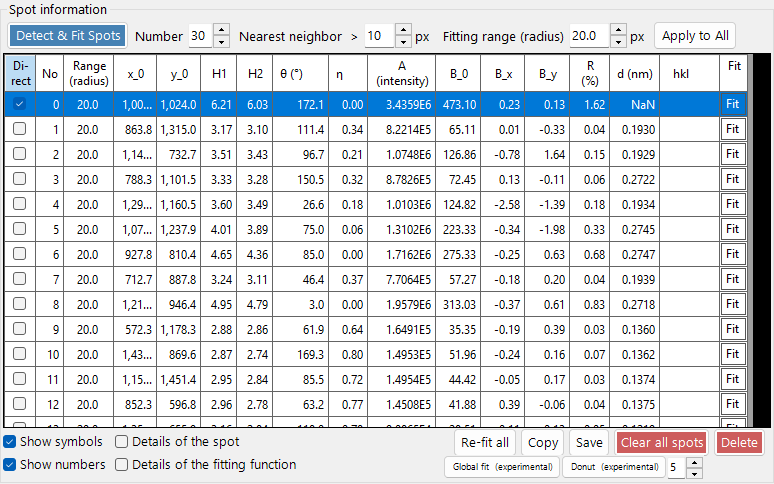
- Detect & Fit Spots: Automatic spot detection using local maxima and background subtraction.
- Number: The maximum number of spots to detect.
- Nearest neighbor: The minimum separation (px) allowed between detected spots. Peaks closer than this are merged, preventing double-detection of the same spot.
- Fitting range (radius): The radius (px) of the circular region used to fit each spot's peak. Pixels inside this circle are fitted with a pseudo-Voigt function.
- Apply to All: Sets the fitting radius of every spot to the current Fitting range (radius) value.
- Delete / Clear all spots: Remove the selected spot, or all detected spots.
- Copy: Copy spot positions and intensities to the clipboard.
- Global fit: Perform a global fit of all spot positions at once (experimental).
- Donut: Apply donut-shaped background subtraction (experimental); the adjacent box sets the width (px) of the annular ring around each spot whose average is subtracted as the local background.
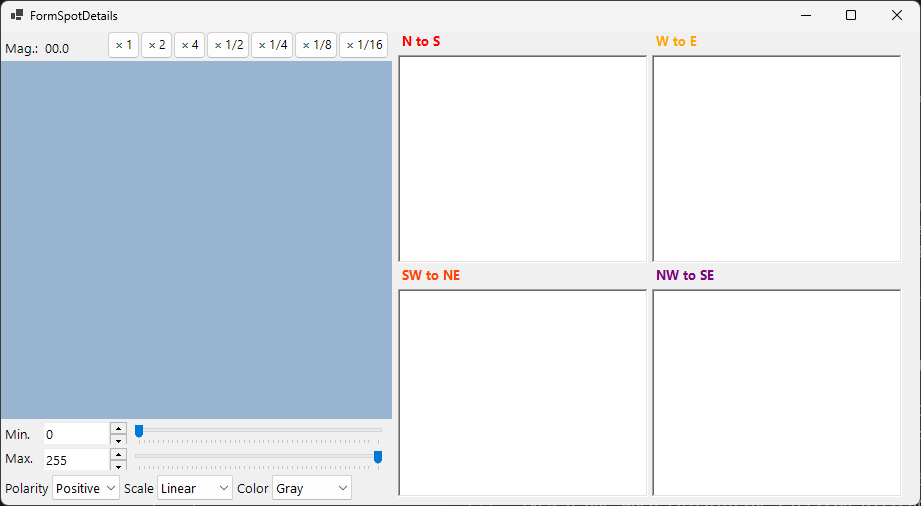
- Details of the spot: When checked, opens a window showing detailed information about the currently selected spot.
Index
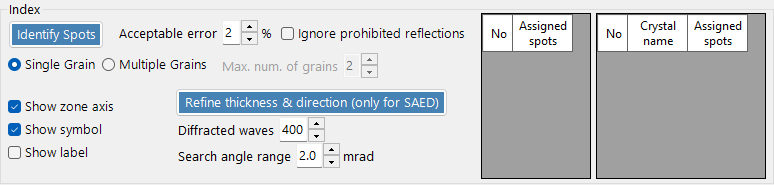
- Identify Spots: Run the indexing algorithm to find the best-matching crystal and zone axis.
- Acceptable error: Set the acceptable deviation in d-spacing and angle for a match.
- Ignore prohibited reflections: When checked, reflections forbidden by screw axes and glide planes are treated as not necessarily satisfied while searching for the zone axis.
- Single Grain / Multiple Grains: Search for a single orientation (single crystal), or for several orientations (a polycrystalline / multi-grain region). For multiple grains, Max. num. of grains sets the upper limit on the number of grains to search for.
- Results: The best matches are displayed with crystal name, zone axis [uvw], and individual spot indices (hkl).
Improvements over v1
- Better noise handling in spot detection.
- More robust fitting algorithms with multiple profile shapes.
- Faster indexing with optimized search algorithms.
- Support for overlapping spots and satellite reflections.