Symmetry Information
Symmetry Information displays detailed information about the space-group symmetry of the selected crystal, and additionally renders schematic diagrams of the symmetry elements and general positions in the style of International Tables for Crystallography Vol. A.
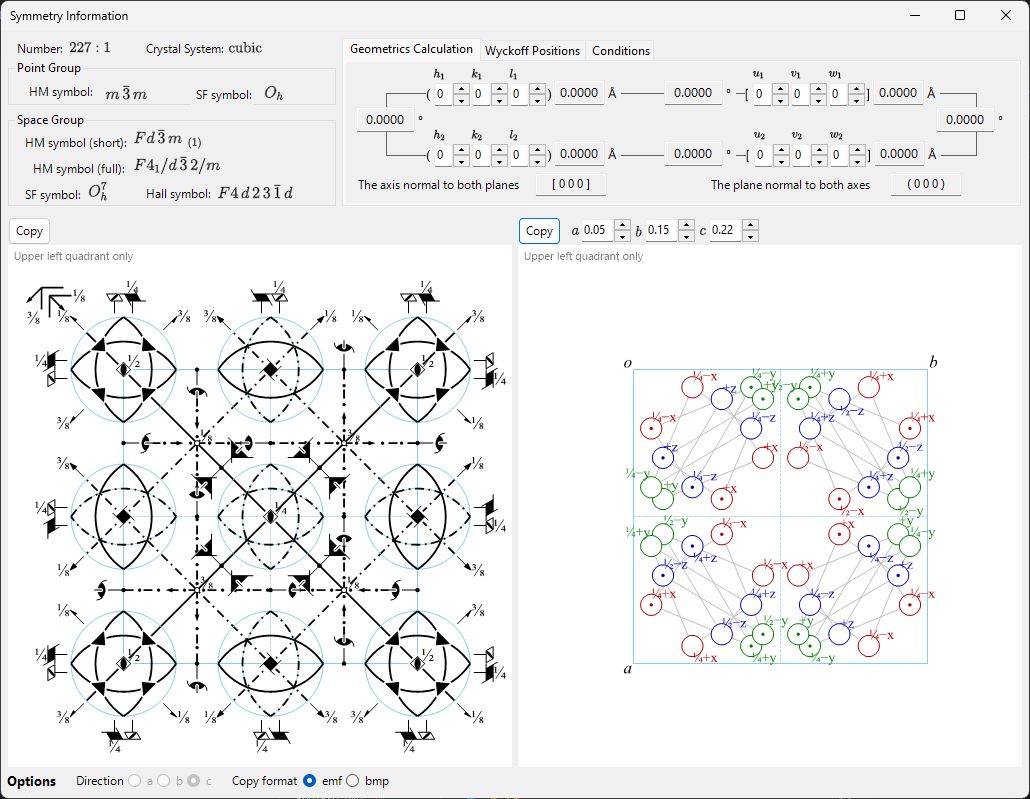
The window is divided into a space-group identity area (top left), a calculation/table area with tabs (top right), and two schematic diagrams (bottom).
Symmetry theory (Appendix A4)
What a Hermann–Mauguin/Hall/Schoenflies symbol actually encodes, the group-theoretical classifications on the Properties tab (centrosymmetric, Sohncke, symmorphic, polar, …), the meaning of the symmetry-element/general-position diagrams below, and the group–subgroup relations shown by Group Relations… are all explained in Appendix A4. Symmetry and Space Groups.
Keyboard & mouse shortcuts
This window has no special key or mouse combinations. F1 opens this manual page, and the two Copy buttons place the symmetry-element diagram and the general-position diagram on the clipboard (as vector emf or raster bmp, chosen with Copy format).
→ See 21. Keyboard & mouse shortcuts for every window at a glance.
Space-group identity
The top-left panel lists, for the current space group:
- Number (1–230) and the setting index
- Crystal System
- Point Group : Hermann–Mauguin (HM) and Schoenflies (SF) symbols
- Space Group : HM short symbol, HM full symbol, SF symbol, and Hall symbol
Geometrics Calculation
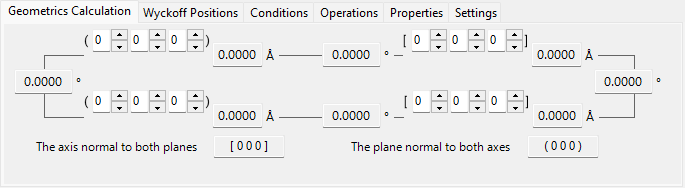
Enter two crystal planes \((h_1, k_1, l_1)\), \((h_2, k_2, l_2)\) or two direction indices \([u_1, v_1, w_1]\), \([u_2, v_2, w_2]\) to obtain:
- the d-spacing of each plane / the length of each axis,
- the angle between the two planes (or two axes),
- the direction index normal to both planes and the plane index normal to both axes.
These calculations respect the metric of the current unit cell.
Wyckoff Positions
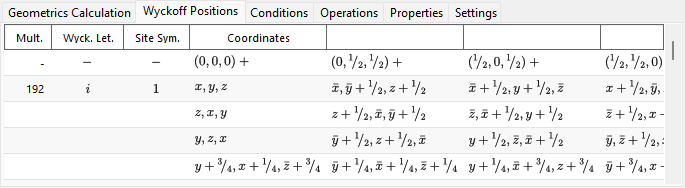
Lists every Wyckoff position with its multiplicity, Wyckoff letter, site symmetry, and whether it is a general or special position. For centred lattices, the lattice translation vectors are shown in the header row.
Conditions
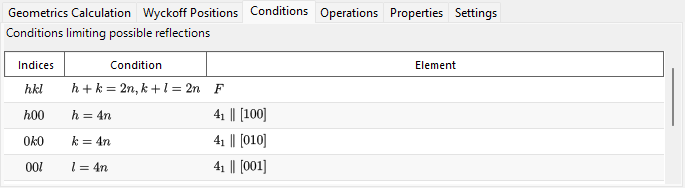
The reflection conditions arising from the lattice centring and from the glide/screw symmetry operators.
Operations
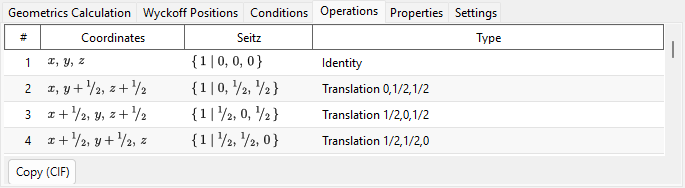
Lists every symmetry operation of the general position (lattice-centring translations already expanded in) as a coordinate triplet, a Seitz symbol, and a plain-language geometric type (e.g. "3-fold rotation", "c-glide plane", "screw axis"). Copy (CIF) copies the full list to the clipboard as a CIF _space_group_symop_operation_xyz loop.
→ See Appendix A4.1 for how to read these three notations.
Properties
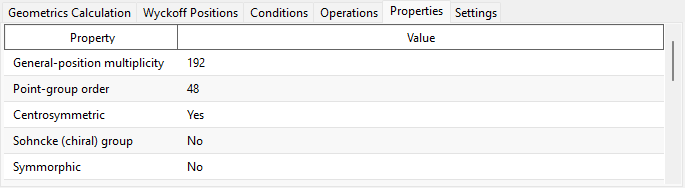
Reports group-theoretical classifications of the current space group (general-position multiplicity, point-group order, centrosymmetric, Sohncke, symmorphic, polar direction, enantiomorphic partner, crystal family/lattice system/Bravais type, arithmetic crystal class, Patterson symmetry) and which macroscopic physical properties (pyroelectric/ferroelectric, piezoelectric, second-harmonic generation, optical activity) are allowed by that symmetry.
→ See Appendix A4.1 for what each term means.
Settings
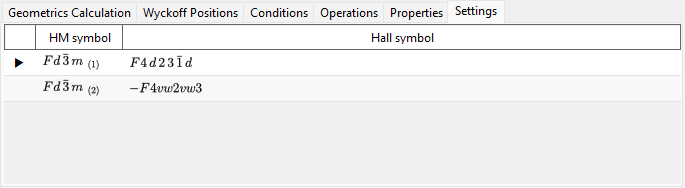
Lists every tabulated origin/axis-setting choice sharing the current space group's IT number, each with its HM and Hall symbol, for reference; the currently displayed setting is marked. Selecting a row does not change the crystal.
Symmetry-element & general-position diagrams
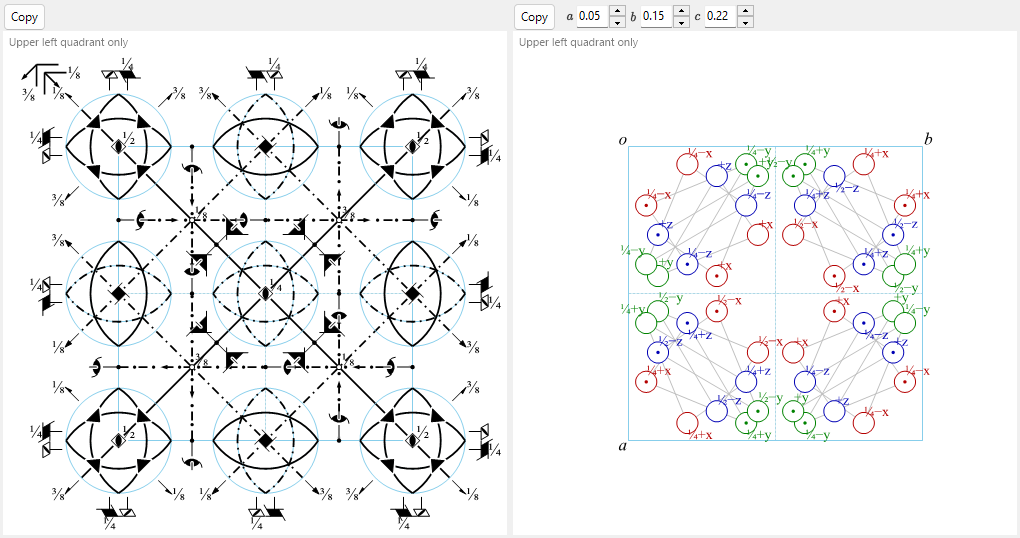
The two panels at the bottom reproduce the schematic symmetry diagrams of the space group in the notation of International Tables for Crystallography Vol. A.
- Symmetry elements (left): rotation/screw axes, mirror/glide planes, and inversion centres/rotoinversion points are drawn with the conventional graphical symbols.
- For the \(F\) lattice of the cubic system, only the upper-left quarter of the projected cell is shown (see Appendix A4.1).
- These symmetry elements can also be drawn directly onto the 3D model in the Structure Viewer.
- General positions (right): the general equivalent positions are plotted as circles (a comma denotes a mirror image), annotated with their fractional coordinates.
- For the cubic system only, auxiliary lines connect the three circles related by a three-fold rotation axis.
Controls below the diagrams:
- Direction (
a/b/c) : choose the crystal axis to project along. - Copy : copies each diagram to the clipboard in the format selected with Copy format (vector emf / raster bmp); emf can be ungrouped and edited in PowerPoint.
- Group Relations… opens a browser for the maximal-subgroup/minimal-supergroup relations of the current space group. See Appendix A4.2 for how to read it.
See also
- Crystal database
- Structure viewer
- Stereonet
- Rotation geometry
- Main window
- Appendix A4. Symmetry and Space Groups — the crystallographic and group-theoretical background behind every tab and diagram on this page.