Precession Electron Diffraction (PED) Simulation
PED (Precession Electron Diffraction) simulation calculates electron diffraction patterns obtained by precessing the incident beam in a cone around the optic axis.
This page lists every setting that appears on the right-hand side when you select Wave = Electron beam, Incident beam = Precession (electron), Intensity = Dynamical (automatic). Note that selecting Precession (electron) for the incident beam automatically switches the intensity calculation to Dynamical. For window-wide operations such as drawing and saving, see the overview page.
GUI conditions: Wave = Electron beam, Incident beam = Precession (electron), Intensity = Dynamical (automatic)
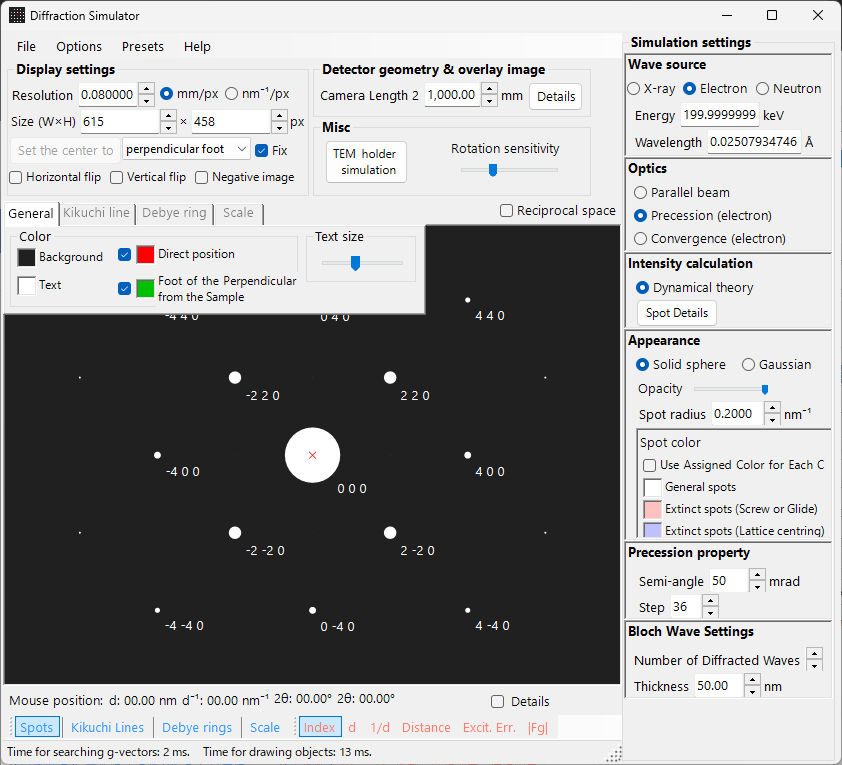
Overview
In PED the electron beam is precessed in a cone around the optic axis, and the diffraction patterns obtained for each beam direction on the precession cone are integrated. Compared with conventional SAED, this offers the following advantages:
- Dynamical effects are averaged out, yielding intensity data close to kinematical intensity ratios
- Higher-order Laue zone (HOLZ) reflections are observed more clearly
- Intensity data suitable for structure analysis can be obtained
Wavelength setup
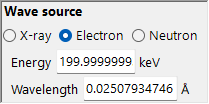
Since PED is electron diffraction, select Electron beam as the source. Entering the electron energy (keV) or wavelength (nm) computes the relativistically corrected wavelength.
Incident beam
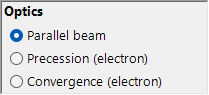
For the incident-beam geometry, select Precession (electron) (available only when the electron beam is selected).
Note : Selecting Precession (electron) automatically switches the intensity calculation to Dynamical, and the Bloch-wave settings panel and the precession settings panel appear. Only excitation error / Kinematical can no longer be selected.
Precession settings
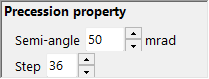
Set the shape and sampling of the precession cone.
| Parameter | Description | Recommended |
|---|---|---|
| Semi-angle | Half-angle of the precession cone (mrad) | 10–40 mrad |
| Step | Number of parallel-beam directions sampled on the precession cone. Larger values give smoother integration but increase the computation time linearly | 36–72 |
Intensity calculation and Bloch-wave settings
The moment Precession (electron) is selected, Intensity = Dynamical (automatic) is fixed. For the parallel beam in each precession direction, the diffraction intensity is computed by the Bloch-wave method (Dynamical calculation), and integrating over all directions yields the PED pattern.
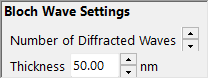
| Parameter | Description | Recommended |
|---|---|---|
| No. of diffracted waves | Number of Bloch waves included in the eigenvalue problem. Larger values give more accurate intensities but the computation time grows as \(O(N^3)\) | 50–200 |
| Thickness | Specimen thickness used in the dynamical calculation (nm) | — |
The computational cost is roughly "number of steps × Bloch-wave calculation per direction". For details of the dynamical calculation, see Dynamical calculation (Bloch-wave method).
Spot appearance
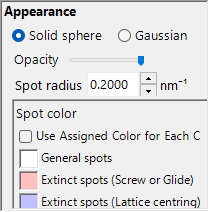
Controls how each diffraction spot is drawn.
- Solid sphere / Gaussian : Geometric model of the reciprocal lattice points. Solid sphere draws the cross-section of a sphere of radius \(R\) with the Ewald sphere, and Gaussian draws the cross-section (a 2D Gaussian) of a 3D Gaussian with \(\sigma = R\) and the Ewald sphere.
- Opacity : Spot transparency (0 = transparent, 1 = opaque).
- Radius (R) : Radius of the reciprocal lattice points. For dynamical intensities, the Gaussian integral \(=\) Brightness \(\times I_\text{dyn}\), and the Solid sphere uses radius \(R \times I_\text{dyn}^{1/2}\) (so the area is proportional to the dynamical intensity).
- Brightness : Available only in Gaussian mode. Integrated intensity of the drawn Gaussian.
- Colour scale : Gray scale or Cold-warm colour map.
- Log scale : Display intensity on a logarithmic scale.
- Spot colour : Spot colour used when no colour scale is applied.
- Use crystal colour : Draw spots in the colour assigned to each crystal.
Comparison with SAED
| Feature | SAED | PED |
|---|---|---|
| Beam | Parallel, fixed | Precessing (cone scan) |
| Dynamical effects | Large | Averaged, smaller |
| HOLZ reflections | Weak | Appear strongly |
| Intensity reliability | May be insufficient for structure analysis | Suitable for structure analysis |
| Computation time | Short | Long |